Online booking can make it easier for clients to connect with you. When clients can book their own appointments online, they can schedule care from the openings you make available, reducing the need for manual coordination. Owl Practice helps mental health professionals across Canada offer self-service scheduling software that respects both your availability and your clients’ needs.
Why Online Booking Matters for Your Practice
Unanswered calls during sessions and availability emails can take time away from client care and your schedule. Online booking can reduce those interruptions by giving clients access to the time slots you choose to make available. They can browse open times, choose what works, and confirm their appointment online.
These tools reduce administrative tasks when you offer online booking for your therapy practice and create a smoother client experience. For some people seeking therapy, picking up the phone can feel difficult, especially when feeling vulnerable. Offering an online booking option helps reduce a barrier that might otherwise make it harder to reach out.
Getting Started With Self-Booking
Owl Practice offers an approachable start for therapists who prefer a straightforward process. Clients can book through a browser with no app download required, and support is available to help you get started.
Set Your Availability
Choose the session types you want to make available, such as individual, couple, or family sessions. Availability settings let you decide which days and times appear as bookable, and your other calendar details stay private. When you mark time as unavailable in Owl Practice, those slots do not appear on your booking page.
Clients only see the openings you’ve chosen to share. Your private schedule details stay hidden. This helps protect your time while giving clients helpful visibility so they can book with confidence. You control which services appear online, how far in advance clients can book, and which providers show availability if you work with a team.
Sync Your Calendar
Owl Practice offers one-way calendar syncing with major calendar systems, including Google and Apple, keeping names and details private. Your personal calendar stays up to date with new therapy appointments, while others viewing your calendar see only blocked time without names, presenting concerns, or other private information. Once clients book, automated email and SMS reminders help them remember their appointment.
How Online Booking Supports Solo and Group Practices
The client portal supports both solo and group practice scheduling workflows, with settings that reflect your availability, services, and team structure.
Solo practitioners can reduce time spent on calendar management. Reminders, confirmations, and booking updates can happen automatically, which may help reduce after-hours scheduling work. Instead of fielding phone calls and emails about open time slots, you can focus on preparing for sessions and caring for clients.
Group practices can manage team schedules from a centralized calendar, coordinate provider availability and services, and help clients find an available therapist and appointment time. For teams, that visibility helps reduce scheduling conflicts and keep the team aligned. When a therapist reserves time for other commitments, those slots automatically become unavailable.
Frequently Asked Questions About Self-Booking
Therapists sometimes worry that online booking will create new problems. Here’s what Owl Practice does to address those concerns:
Will clients book at inconvenient times?
You decide which services, times, and providers are available for booking, giving you control over your schedule. If you only want to offer morning appointments for intake sessions or reserve Friday afternoons for existing clients, you can choose those preferences.
What if my schedule changes?
When you block off time in Owl Practice, that time is removed from your available booking options. If you need to leave early or attend professional development, keeping that time reserved protects those slots.
Will this feel impersonal to clients?
Automated confirmations and reminders help clients feel supported. They receive appointment details and can sync them to their calendar. The confirmation message can include your practice policies, directions, or instructions for virtual sessions.
What Happens After a Client Books
After a booking is made, Owl Practice can send confirmations, reminders, forms, and portal notifications. Clients receive an automatic confirmation with appointment information, including relevant details for virtual sessions.
If enabled, clients can reschedule or cancel via their portal, helping keep your calendar accurate. The secure client portal and records let you send and manage intake forms online and share documents. When clients complete forms ahead of time, you can review intake information before the appointment, helping you prepare effectively and use session time for therapeutic work rather than paperwork.
Building Trust Through Consistency
When appointments are easier to book, and reminders can be sent automatically, the process feels smoother and more supportive for both clients and your practice. Owl Practice is built to support therapists’ online booking in Canada, with PHIPA-compliant tools and therapy-specific workflows that reflect the practical needs of mental health care.
The system helps you maintain boundaries while staying accessible. Clients can book appointments without needing to reach you during personal time, and you can manage your practice from wherever you have internet access.
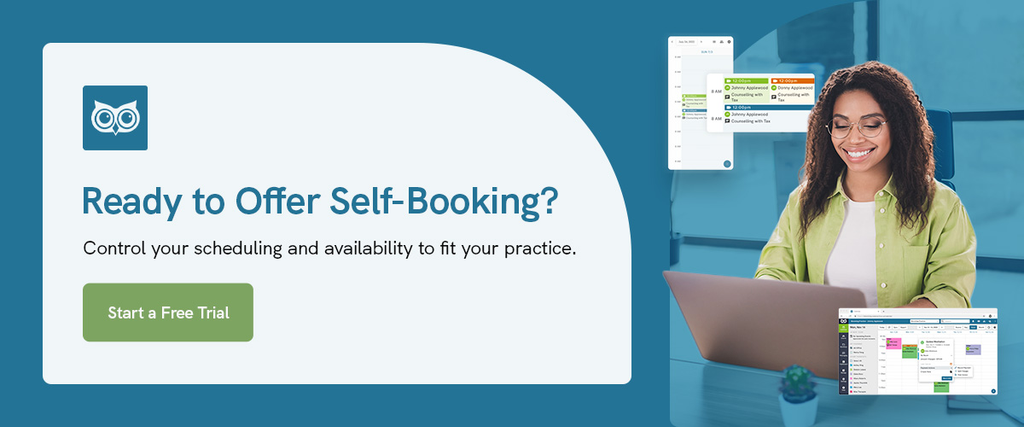
Ready to Offer Self-Booking?
If you’re ready to give clients more control over choosing from your available appointment times, Owl Practice offers a path forward. You can control your scheduling and availability to fit your practice, whether you’re a solo therapist or part of a team. Owl Practice’s support team is available to help you get started and launch your therapy scheduling.